14. Preview & Limits
Part 14
/admin/products/:product/preview · Product scope — each product has its
own page. Two halves: what can be previewed in the browser, and how hard the
service is allowed to work.
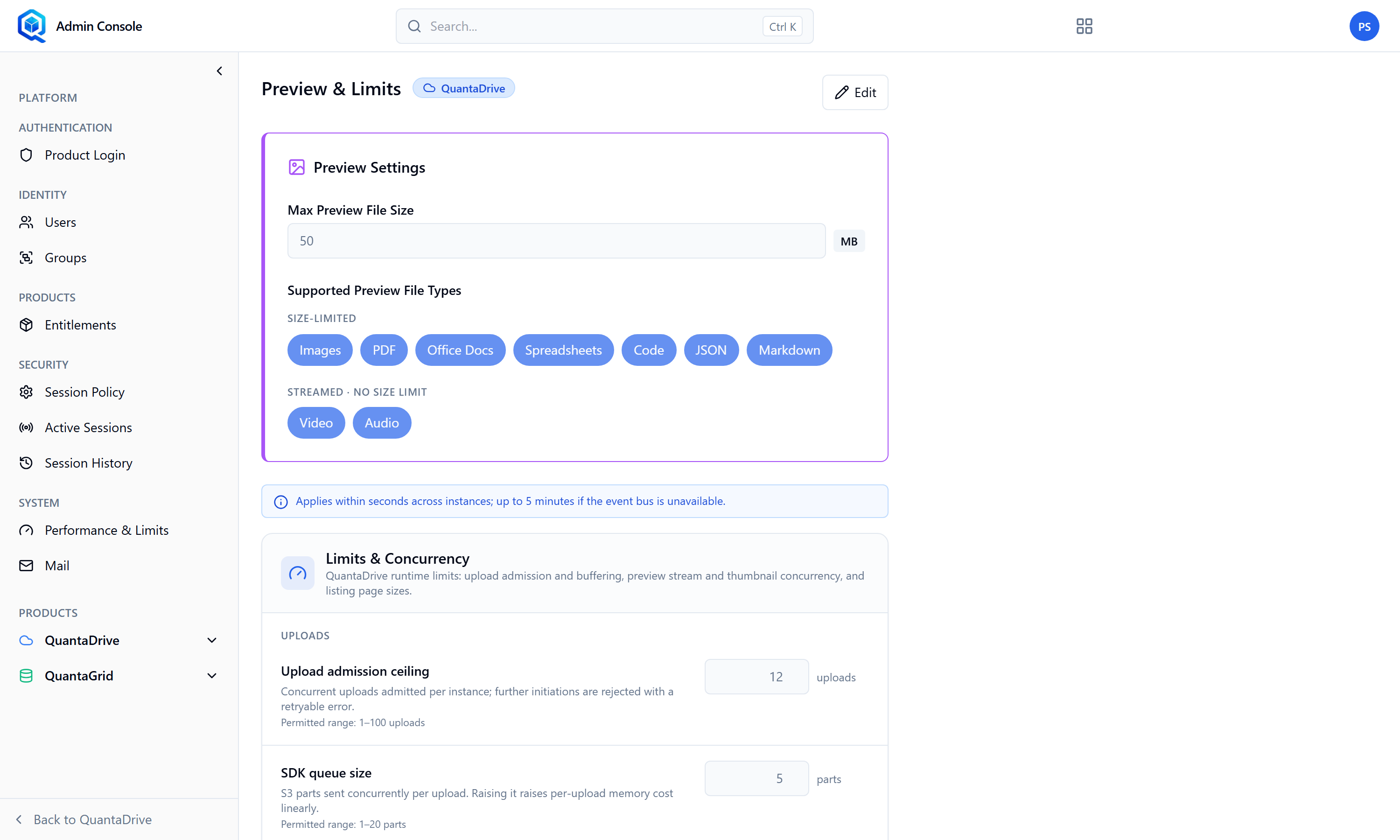
Preview & Limits. The top half is what users can preview; the bottom half is throughput.
14.1. Preview Settings
The page opens read-only; Edit unlocks it. Supported types are toggles — Images, PDF, Office Docs, Spreadsheets, Code and JSON — so you can switch off a whole class of file rather than a single extension.
- Maximum preview size
In megabytes, defaulting to 50. Files above it are not rendered and the user sees No preview available.
- Supported preview types
Which file types may be previewed at all. Turning a type off removes previews for it across the product.
A quirk worth knowing
Video and audio stream rather than download, so they can play even when they are larger than the size limit. The limit binds documents and images, not media.
14.2. Limits & Concurrency
The rest of the page governs throughput. The groups are Uploads, Preview concurrency, Page sizes, Listing & search, Jobs & transfers and Lease broker. Two upload values deserve attention because they set memory use directly:
- Upload admission ceiling
Concurrent uploads admitted per instance; further attempts are rejected with a retryable error rather than queued indefinitely.
- SDK queue size
Parts sent concurrently per upload. Raising it raises per-upload memory cost linearly.
The page derives and shows the memory implication of the pair, so you can see what a change will cost before saving it. Raise these only if uploads are being rejected under normal load, and watch memory afterwards.