8. Session Policy
Part 08
/admin/settings/session · Platform scope. Configure session lifetimes and
password rules applied across the platform. The page is read-only until you
press Edit; Save changes only becomes active once something has
actually changed.
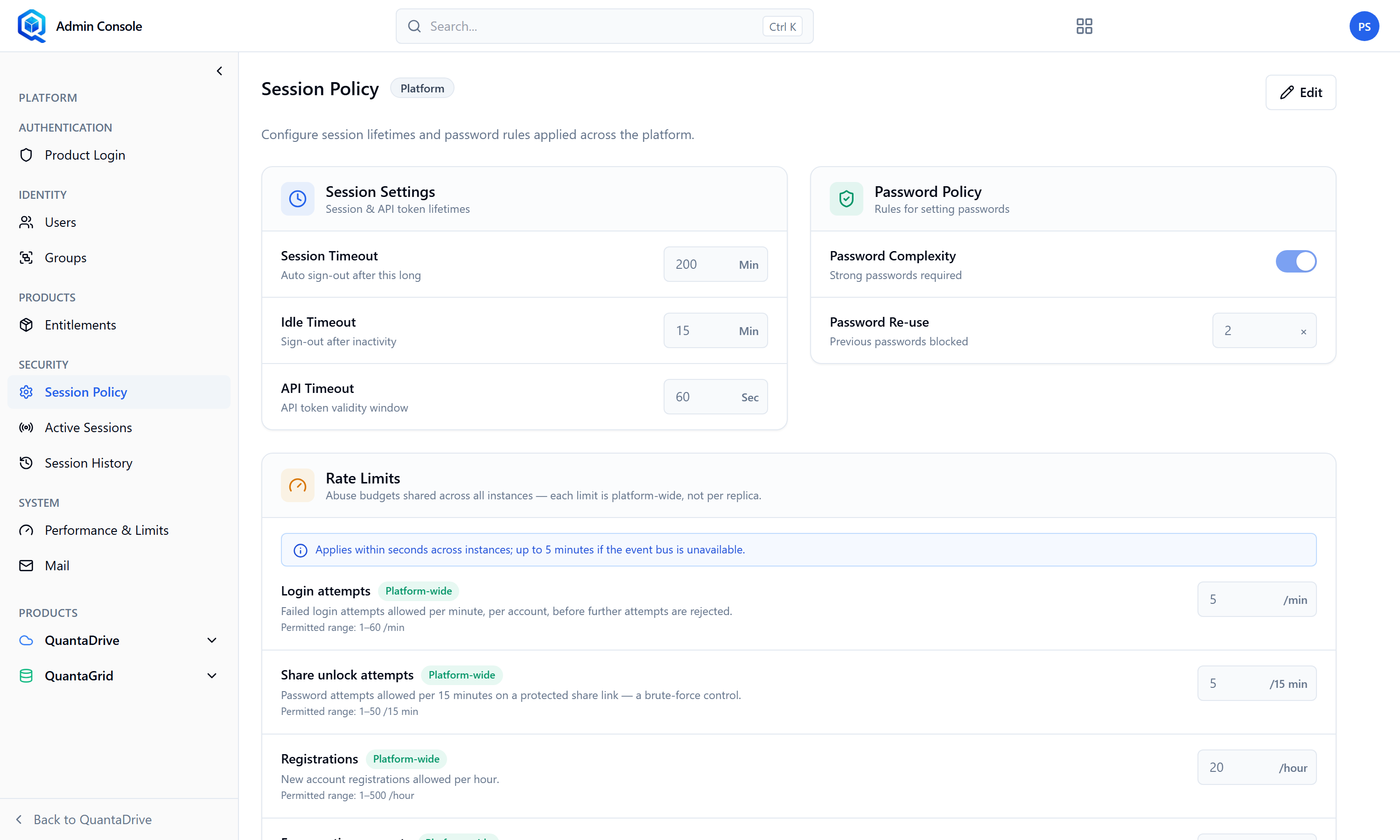
Session Policy. Press Edit to change values; Save changes activates once something differs.
8.1. Session Settings
The page opens read-only. Press Edit to change anything; Save changes only becomes active once a value has actually changed.
Session & API token lifetimes.
- Session Timeout
Auto sign-out after this long, in minutes. An absolute cap regardless of activity.
- Idle Timeout
Sign-out after inactivity, in minutes. This is the one users notice; set it to something a lunch break does not trip.
- API Timeout
API token validity window, in seconds.
8.2. Password Policy
Rules for setting passwords.
- Password Complexity
A switch. On means Strong passwords required; off means No complexity rules. Leave it on.
- Password Re-use
How many previous passwords are blocked, so a user cannot cycle straight back to an old one.
8.3. Rate Limits
Abuse budgets shared across all instances — each limit is platform-wide, not per replica. That distinction matters: the number you type is the total across every server, not multiplied by how many are running. Each field shows its permitted range, and the page states how long a change takes to propagate.
- Login attempts
Failed login attempts allowed per minute, per account, before further attempts are rejected. Too low and ordinary typos lock people out.
- Share unlock attempts
Password attempts allowed per 15 minutes on a protected share link — a brute-force control on your public links.
- Registrations
New account registrations allowed per hour.
- Enumeration requests
Collection-listing requests allowed per minute, per user. Raising this eases heavy legitimate browsing; lowering it hardens against scraping.
Each budget is badged Platform-wide on screen. Values outside the permitted range are rejected with an inline message rather than saved.