13. Storage Access
Part 13
/admin/products/:product/storage · Product scope. Where each product keeps
its data. This page exists once per product and they are configured
independently.
13.1. QuantaDrive
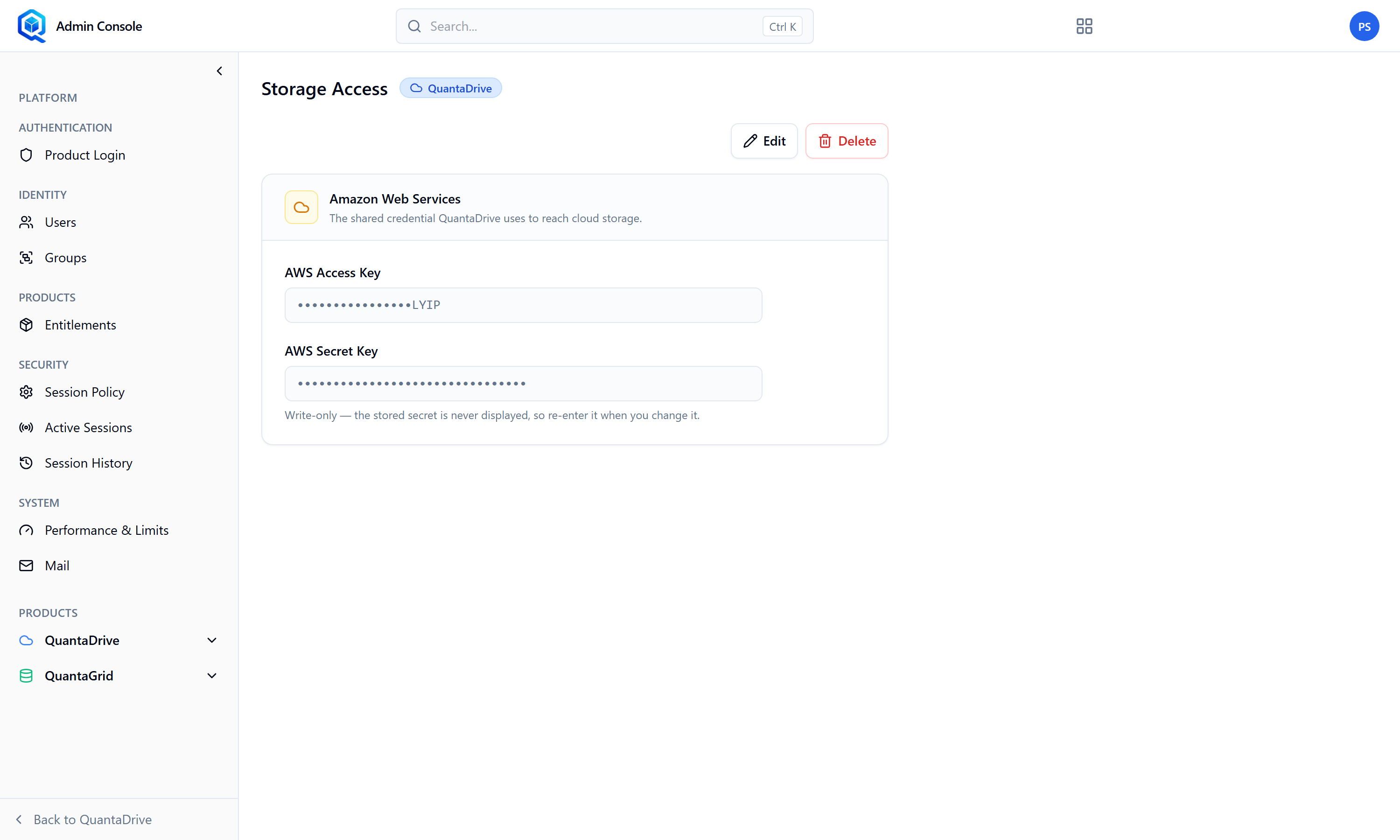
Storage Access for QuantaDrive. This is what fills the bucket list in the workspace wizard.
Set the cloud credentials and the bucket and prefix that QuantaDrive uses. AWS credentials are entered as AWS Access Key and AWS Secret Key under the Amazon Web Services heading. Once saved, these are what populate the Bucket Name and Path lists that users see in Stage 2 of the workspace wizard.
Symptom to remember
An empty bucket list in the create-workspace wizard means this page is unconfigured. Users will report it as “I can’t create a workspace”, which sounds like a permission bug and is not.
13.2. QuantaGrid
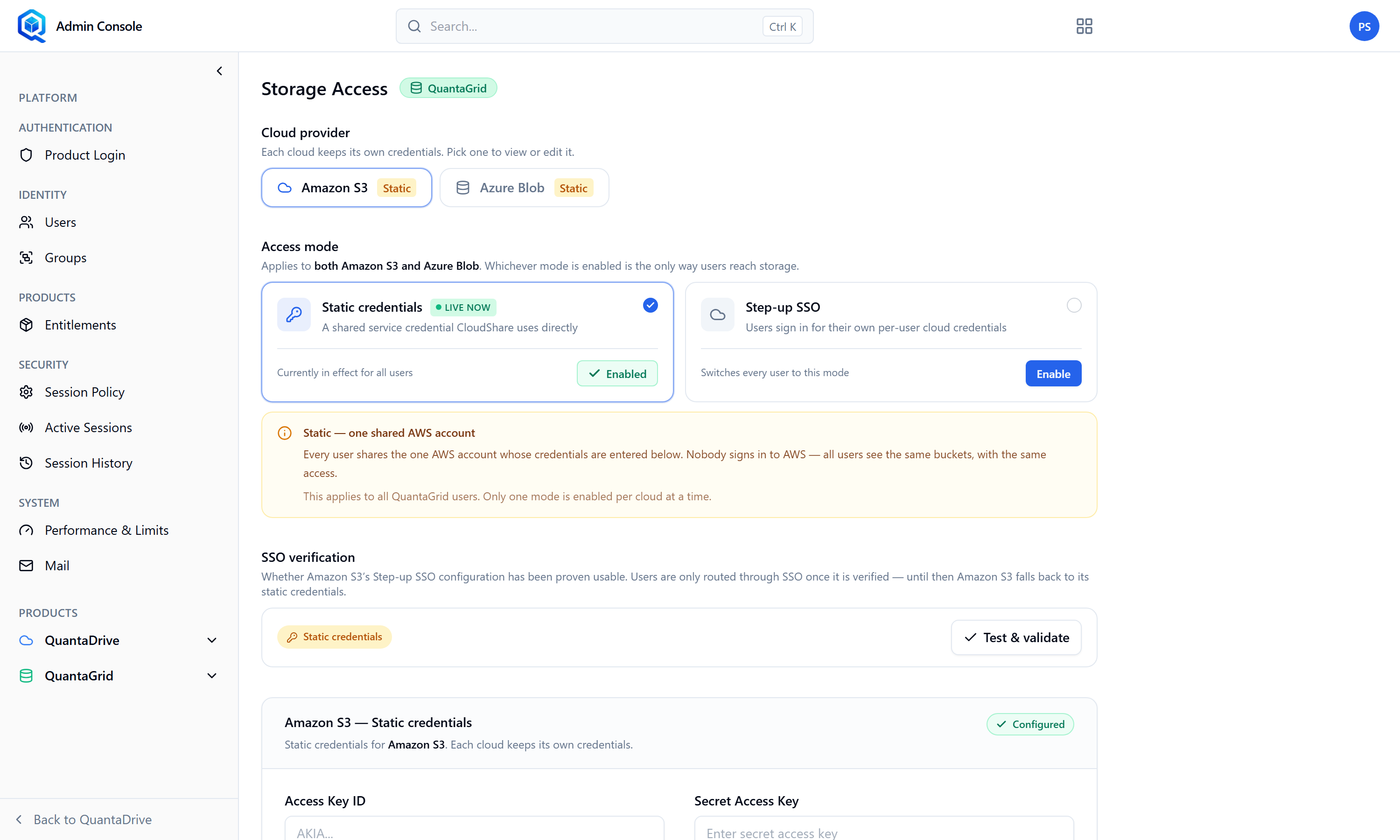
Storage Access for QuantaGrid, with the choice between static credentials and step-up SSO.
QuantaGrid supports two access modes, chosen per cloud provider (Amazon S3 or Azure Blob):
- Static credentials
A long-lived key pair you enter once. For AWS, an access key (AKIA…) and secret. For Azure, tenant ID, client ID, client secret and storage account. Simple, but the keys sit in the platform until you rotate them.
- Step-up SSO
Users authenticate to the cloud provider themselves and QuantaGrid mints temporary credentials. For AWS you supply the IAM Identity Center directory id (d-xxxxxxxxxx), the start URL (https://my-org.awsapps.com/start), the OIDC client id and the callback address. For Azure, the tenant and client ids, secret and callback. Better practice, because nothing long-lived is stored.
13.3. Reading the status badges
- SSO active
Configured and verified. Working.
- SSO — not verified
Configured but the round trip has not been proven. Run the verification before relying on it.
- Static credentials
Key-based access is in force for this provider.
- Not configured
Nothing is set. Users of this product will not be able to reach storage.
- Validation failed
The values were rejected when checked — usually a wrong secret, a wrong region, or a callback address that the provider does not have registered.
Deleting credentials asks to confirm (Delete AWS credentials?) and takes effect immediately for everyone.