16. Your profile and sessions
Part 16
Open My Account from the menu under your avatar. It is mostly a read-only record of who the system thinks you are — useful when something is not working and you need to check your own access.
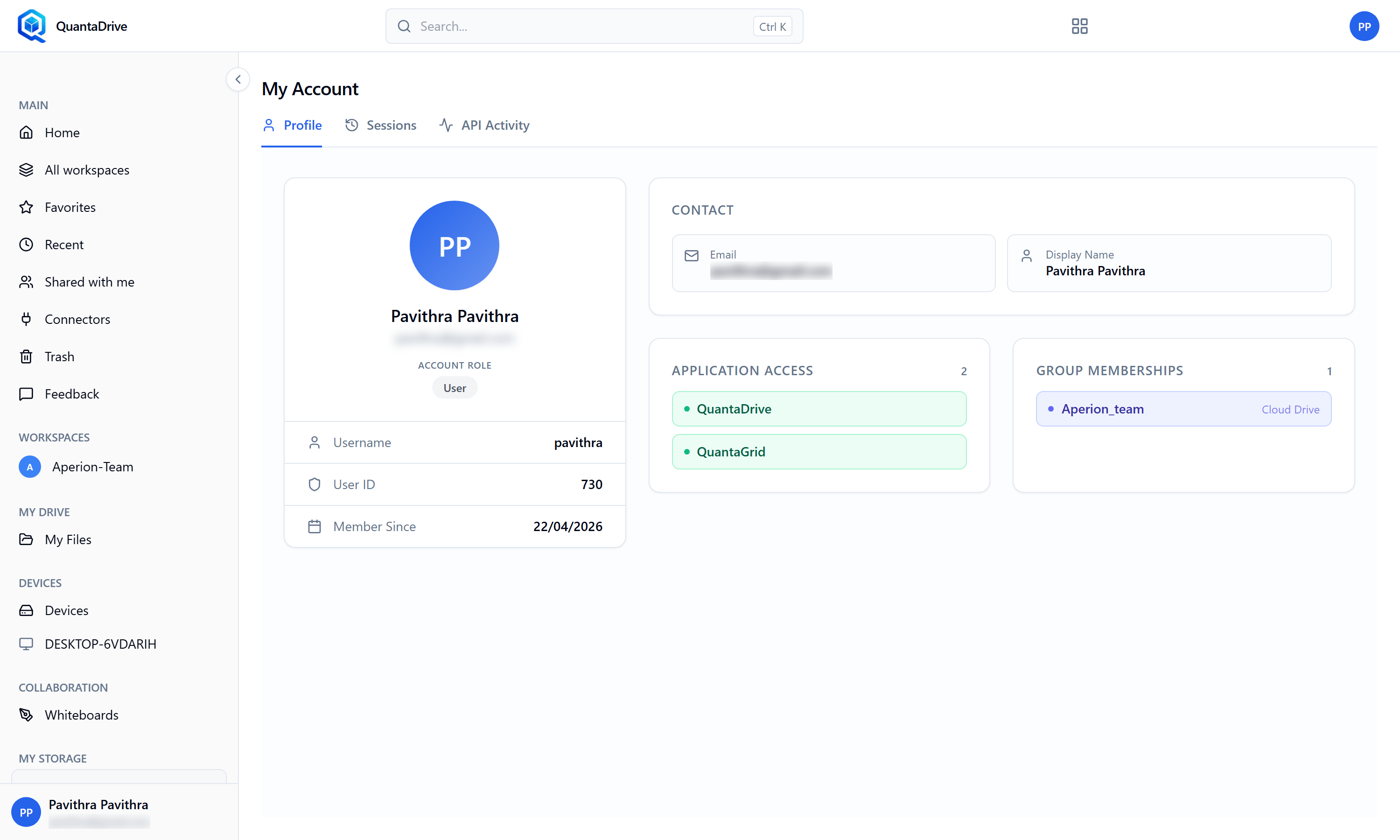
My Account. The page has three tabs — Profile, Sessions and API Activity. Application Access and Group Memberships, on the Profile tab, are the first place to look when something you expect is missing.
- Contact
Your name and email as recorded. Changes are made by an administrator, not here.
- Application Access
The products you are entitled to. No application access granted explains a missing product far better than guesswork; Application access could not be loaded means the check itself failed — retry, then tell your administrator.
- Group Memberships
The groups you belong to. Access often arrives through a group rather than directly, so this is worth checking. Not a member of any group is normal for some accounts.
- Session history
Each sign-in with its Session, Started, Expires and Status. Scan it for sign-ins you do not recognise.
- API activity
Select a session to see what it did, with Status and Time per action.
16.1. Changing your password
Use the change-password screen: Current password, New password, Confirm new password. The new password must meet the policy your administrator has set. Changing it does not sign out your other sessions, so sign out elsewhere yourself if that was the point.
If you sign in through SSO or Google
Your password is not held by QuantaCloud, so change it with your identity provider or Google instead. The change-password screen will not help you.