17. Reporting a problem
Part 17
The Feedback page sends a report straight to the people who run QuantaCloud for your organisation, with a screenshot attached if you add one.
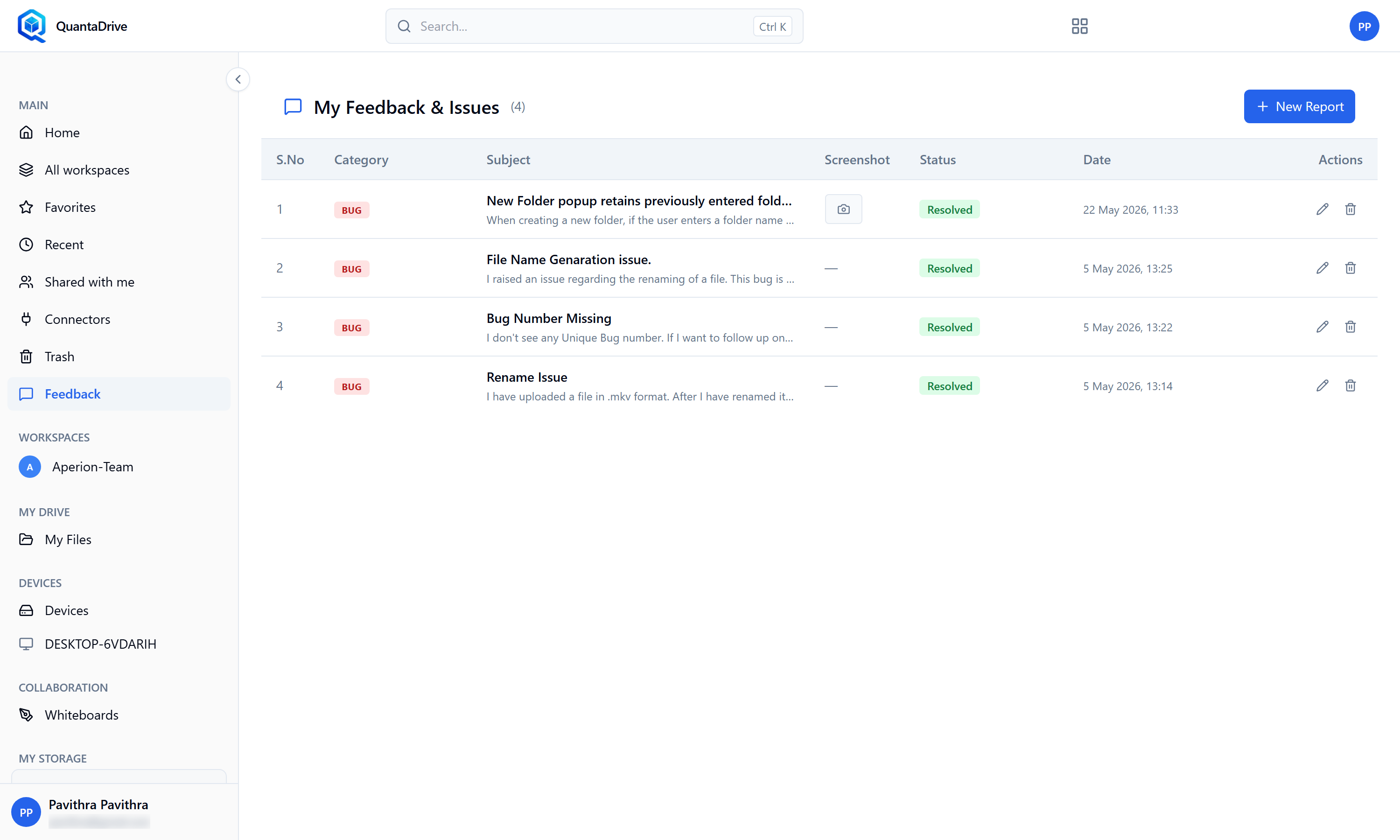
The Feedback page. Reports you have filed appear in the table with their Status.
Open Feedback in the sidebar
The page is headed My Feedback & Issues and lists the reports you have already filed.
Press New Report, then choose a Category
Required. It routes the report to the right people.
Write a Subject
Required — Brief summary of the issue or request. One clear line beats a vague one.
Write the Description
Required. The most useful report says: what you did, what you expected, what happened instead, and the exact words of any error.
Attach Screenshots — optional but valuable
A picture of the error settles most questions immediately.
Submit
Your report joins the table below with its S.No, Category, Subject, Screenshot, Status and Date. Watch the Status column for progress.
You can edit or delete your own reports from the Actions column; deleting asks to confirm under Delete Report.